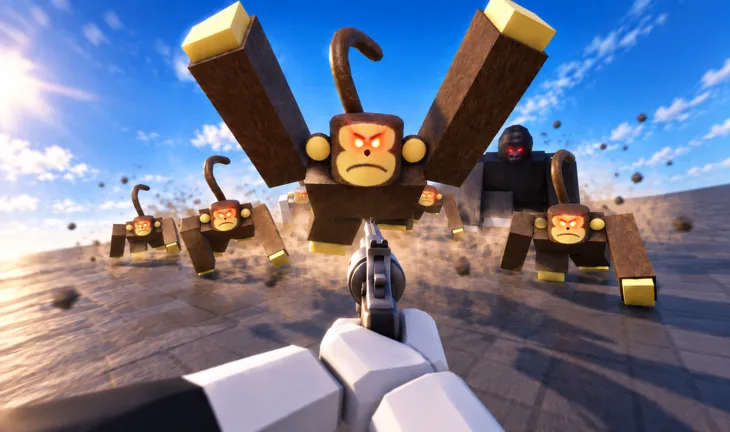
- Survive a Million Monkeys update coverage is organized into five trackable change categories.
- Combat changes can shift which weapon roles are worth upgrading after a patch.
- Enemy and difficulty changes usually demand new positioning and targeting habits.
- Map changes can invalidate old escape routes and safe farming areas.
- QoL fixes often quietly improve movement and spawn behavior more than players expect.
How to Read Every Survive a Million Monkeys Update
Every Survive a Million Monkeys update has the potential to change the way you play, even when the patch notes look short. A small damage adjustment can make a previously reliable weapon feel weak, a new enemy type can break an old kiting route, and a progression cost change can reorder your entire upgrade path. Instead of reading notes once and forgetting them, treat each patch as a checklist that tells you which parts of your build need to be re-tested.
The most efficient approach is to sort every change into one of five categories: weapons and combat, enemies and difficulty, maps and locations, items and progression, and fixes or quality of life. Each category points to a specific part of your strategy that may need adjustment.
| Update Category | What It Covers | Strategy Impact |
|---|---|---|
| Weapons and Combat | New weapons, damage values, attack behavior | May change your primary weapon choice |
| Enemies and Difficulty | New monkey types, wave pressure, behavior | May change positioning and target priority |
| Maps and Locations | New areas, route and spawn changes | May change escape routes and farming spots |
| Items and Progression | Upgrades, costs, rewards | May change upgrade priority order |
| Fixes and Quality of Life | Bug fixes, movement, spawning, UI | May change how smoothly runs play |
Start with enemy and difficulty changes first. If the threats have changed, your weapon and upgrade decisions should be rebuilt around the new pressure, not the old one.
Weapons and Combat Changes
Combat changes are the most visible part of any patch, and they deserve the closest reading. When a Survive a Million Monkeys update touches weapons, it rarely changes only one thing at once. Damage values, attack speed, and how attacks interact with grouped enemies all influence which weapon roles survive contact with the horde.
The core question after a combat patch is simple: does the change reward single-target damage or crowd control more than before? Because the game's difficulty scales with enemy density, any update that makes monkeys cluster more tightly increases the value of area damage, while changes that spread enemies out push value back toward consistent single-target output.
| Weapon Role | Patch Signal That Raises Its Value | Patch Signal That Lowers Its Value |
|---|---|---|
| Area-damage weapons | Enemies cluster more, higher wave density | Enemies spread out, fewer grouped targets |
| Fast-firing weapons | Faster enemy approach speeds | Tougher enemies that outlast sustained damage |
| High-damage burst | Stronger single threats, tougher monkeys | Swarms of weak enemies that respawn quickly |
| Close-range weapons | Buffs to emergency escape tools | More enemies attacking from multiple directions |
| Long-range weapons | Slower, tougher waves | Tight maps that limit sightlines |
Crowd Control First
- Best after density buffs
- Rewards grouped targets
- Scales into late waves
Sustained Damage
- Best after speed buffs
- Handles fast monkeys
- Forgives missed shots
Burst Damage
- Best after toughness buffs
- Removes priority targets
- Pairs with mobility
Damage numbers in patch notes do not tell the whole story. Always run two or three waves with a changed weapon before committing upgrade resources to it.
Enemies, Difficulty, and Wave Changes
Enemy changes deserve the most attention in any Survive a Million Monkeys update because the monkey horde itself is the game. A patch can adjust how quickly fast monkeys close distance, how much punishment tough monkeys absorb, or how mixed groups behave when they converge on your position. Each of these tweaks changes which targets you should remove first.
The general rule remains constant: eliminate the enemies that threaten your movement before the ones that merely threaten your health. Updates that make enemies faster or more numerous raise the priority of anything that creates space. Updates that make enemies tougher raise the priority of raw damage output.
| Enemy Type | Core Threat | What an Update Changes | Your Response |
|---|---|---|---|
| Standard Monkeys | Accumulating numbers | Spawn rate, wave size | Clear consistently, keep moving |
| Fast Monkeys | Cutting off movement | Approach speed, spawn timing | Prioritize early, never let them flank |
| Tough Monkeys | Blocking your damage budget | Health values, damage dealt | Use burst damage while repositioning |
| Large Groups | Occupying movement space | Group size, clustering behavior | Group them, then use area damage |
| Mixed Groups | Splitting your attention | Speed and toughness mixtures | Remove movement threats first |
If a patch suddenly makes your usual waves feel harder, assume the enemy balance changed rather than your skill dropping. Re-check the update notes before rebuilding your loadout from scratch.
Map, Progression, and QoL Updates
Map changes are the silent patch killers. A new wall, a widened pathway, or a relocated resource area can quietly break the escape route you relied on during heavy waves. After any map-related Survive a Million Monkeys update, walk the map before you fight on it. Confirm that your open areas are still open, your chokepoints still have exits, and your dead ends have not multiplied.
Progression changes work differently. When an update adjusts upgrade costs or adds new upgrade options, your priority order shifts rather than your moment-to-moment play. Re-check whether damage upgrades are still the best early investment, or whether survivability and area-clear options now offer better returns as enemy density rises.
Survey the Map
Walk every route you normally use. Verify open areas, wide pathways, and chokepoint exits before engaging a full wave.
Recalculate Upgrade Costs
Compare new costs against your usual order: damage, attack speed, survivability, movement, area-clear.
Run a Low-Stakes Wave
Test weapon and movement changes against manageable pressure before betting a long run on them.
Update Your Route Plan
Mark which areas now serve as primary fighting zones, retreat routes, and resource stops.
Lock In the New Build
Once tested, commit your upgrade order and route plan until the next update lands.
| Map Area Type | Role | Post-Update Check |
|---|---|---|
| Open areas | Primary fighting zone | Still large enough to circle groups |
| Wide pathways | Retreat routes | Still connected to safe zones |
| Resource areas | Progression stops | Still worth visiting under pressure |
| Chokepoints | Temporary crowd control | Exit still clear before enemies arrive |
| Dead ends | High-risk zones | Still avoidable during heavy waves |
Quality-of-life updates often fix movement friction, spawn clustering, or interface lag. These changes usually make your existing strategies work better without any rebuild, so take a moment to feel them out.
After Every Update, Verify:
- Your primary weapon still clears waves at its usual rate
- Your best escape routes are still open and connected
- Your upgrade priority order still matches new costs
- Fast monkeys can still be intercepted before they flank you
- No new dead ends have appeared on your fighting route
Update FAQ
Q: How often should I re-check my build after a Survive a Million Monkeys update?
Re-check your build after every update that touches weapons, enemies, or progression. Run two or three test waves to confirm damage output and crowd control still handle current wave density before spending upgrade resources.
Q: Which update category matters most for survival runs?
Enemy and difficulty changes matter most, because the monkey horde defines the entire game. If enemy speed, toughness, or grouping changes, your positioning and target priority must adapt before anything else in your build.
Q: Do map changes really matter if I keep moving?
Yes. Movement strategies depend on open space and available escape routes. A single new obstacle can turn a reliable fighting area into a trap during heavy waves, so always walk updated routes before committing to a long run.
Q: Should I change my upgrade order when progression costs change?
Only after comparing the new costs against your results. If damage upgrades became more expensive but enemy density also increased, area-clear options may now deliver better value per resource spent during mid and late game.